REST API & Process Lifecycle
The Alert Engine exposes a REST API at http://localhost:8001 with interactive Swagger documentation at http://localhost:8001/docs.
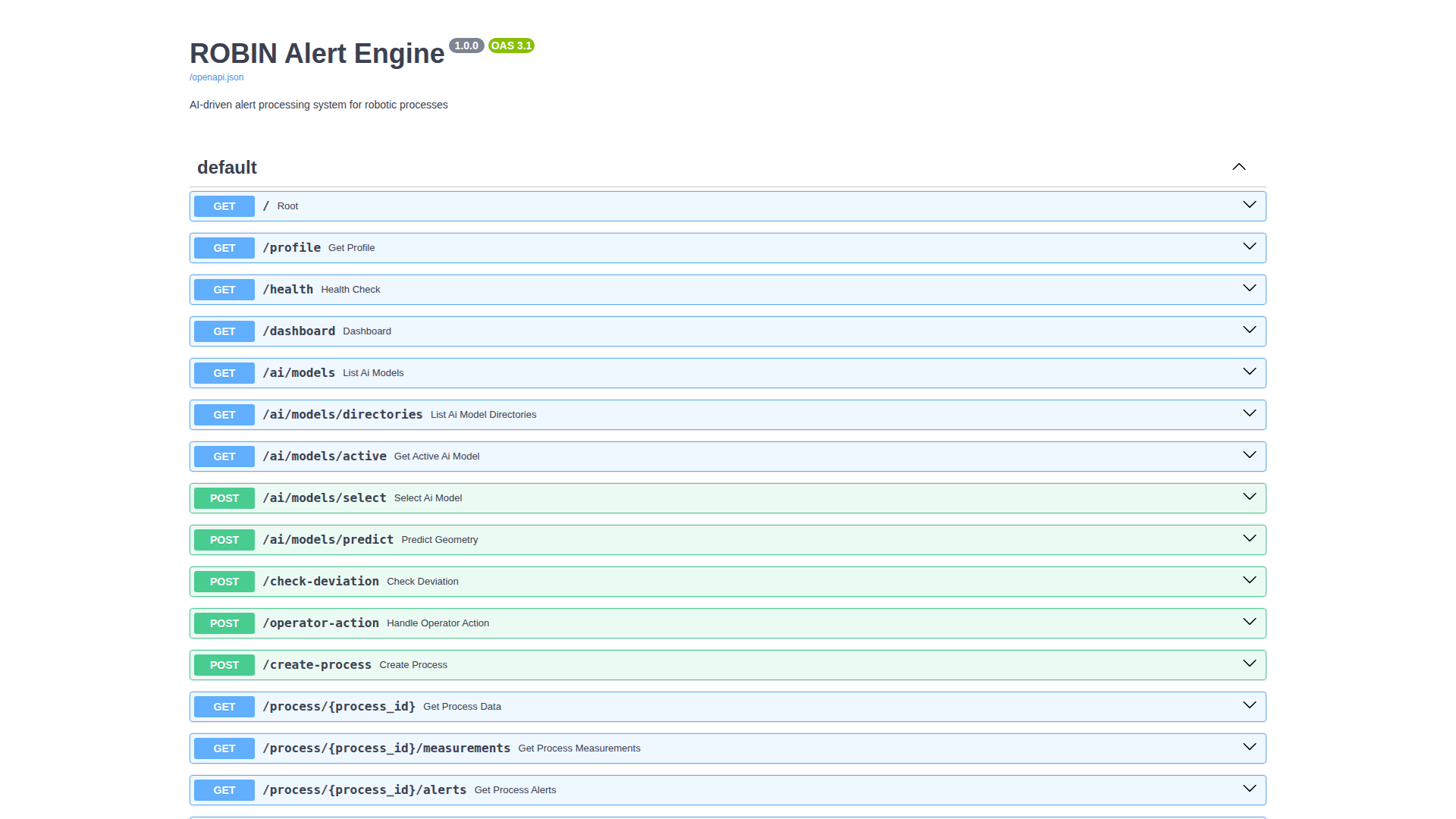
Endpoint Overview
Category |
Endpoints |
What it does |
|---|---|---|
Process lifecycle |
|
Create and manage manufacturing processes |
Measurements |
|
Fetch time-series data via Mintaka or Orion fallback |
Alerts / warnings |
|
Fetch persisted deviation warning events for history/report export |
AI models |
|
List checkpoints, load a model, run forward predictions |
Deviation detection |
|
Compare measured geometry against AI prediction or target |
Recommendations |
|
Get AI-generated parameter or geometry suggestions |
Profile |
|
Active domain profile (vocabulary, fields, skills, AI config) |
Health |
|
Service health check |
Process Lifecycle
Every manufacturing run is represented as a Process entity in Orion-LD.
The Alert Engine manages its lifecycle through the states below.
Process States
Status |
Meaning |
Typical actions |
|---|---|---|
|
Process is running; measurements are expected |
monitor, check deviation, stop |
|
Process intentionally stopped |
resume, inspect history |
|
Temporary hold |
resume, stop |
|
Process or integration failure |
investigate, resume / stop |
CLI Commands
poetry run robin process-status demo-001

poetry run robin list-processes

poetry run robin stop-process demo-001 --reason "maintenance_required"

poetry run robin resume-process demo-001
API Examples
# Stop a process
curl -X POST "http://localhost:8001/process/demo-001/stop" \
  -H "Content-Type: application/json" \
  -d '{"reason":"operator_request"}'

# Resume
curl -X POST "http://localhost:8001/process/demo-001/resume"

# Status
curl "http://localhost:8001/process/demo-001/status"

# List active processes
curl "http://localhost:8001/processes/list?status_filter=active"

# Fetch persisted warning events for a process
curl "http://localhost:8001/process/demo-001/alerts"

# Set operation mode explicitly
curl -X POST "http://localhost:8001/process/demo-001/mode" \
  -H "Content-Type: application/json" \
  -d '{"mode":"geometry_driven"}'
Process Entity Fields
The urn:robin:Process entity carries lifecycle metadata:
processStatus- current statestartedAt/stoppedAt- ISO timestampsstopReason- why the process was stopped
{
  "processStatus": {"type": "Property", "value": "active"},
  "startedAt": {"type": "Property", "value": "2026-02-22T10:30:00Z"},
  "stoppedAt": {"type": "Property", "value": null},
  "stopReason": {"type": "Property", "value": null}
}
Best Practices
Use explicit stop reasons (
scheduled_maintenance,quality_threshold_exceeded,operator_intervention).Check status before issuing control actions.
Keep lifecycle events auditable through API logs and Orion state.
Troubleshooting
If process status appears inconsistent:
curl http://localhost:8001/health

curl -H "NGSILD-Tenant: robin" \
  "http://localhost:1026/ngsi-ld/v1/entities/urn:ngsi-ld:Process:demo-001"
See Troubleshooting Guide for more diagnostic steps.